Papirus
Papirus - Desktop Sticky Notes
Keep your thoughts visible, always.
Papirus brings the simplicity of physical sticky notes to your desktop with a clean, transparent overlay that stays on top of your work. Perfect for quick reminders, to-do lists, code snippets, or any thought you need to capture without switching windows.
Built with Godot Engine 4.7, Papirus offers a smooth, native experience across Windows, macOS, and Linux with zero dependencies.
✨ Key Features
🎨 Color-Coded Organization
- Four vibrant colors: Red, Yellow, Green, Blue
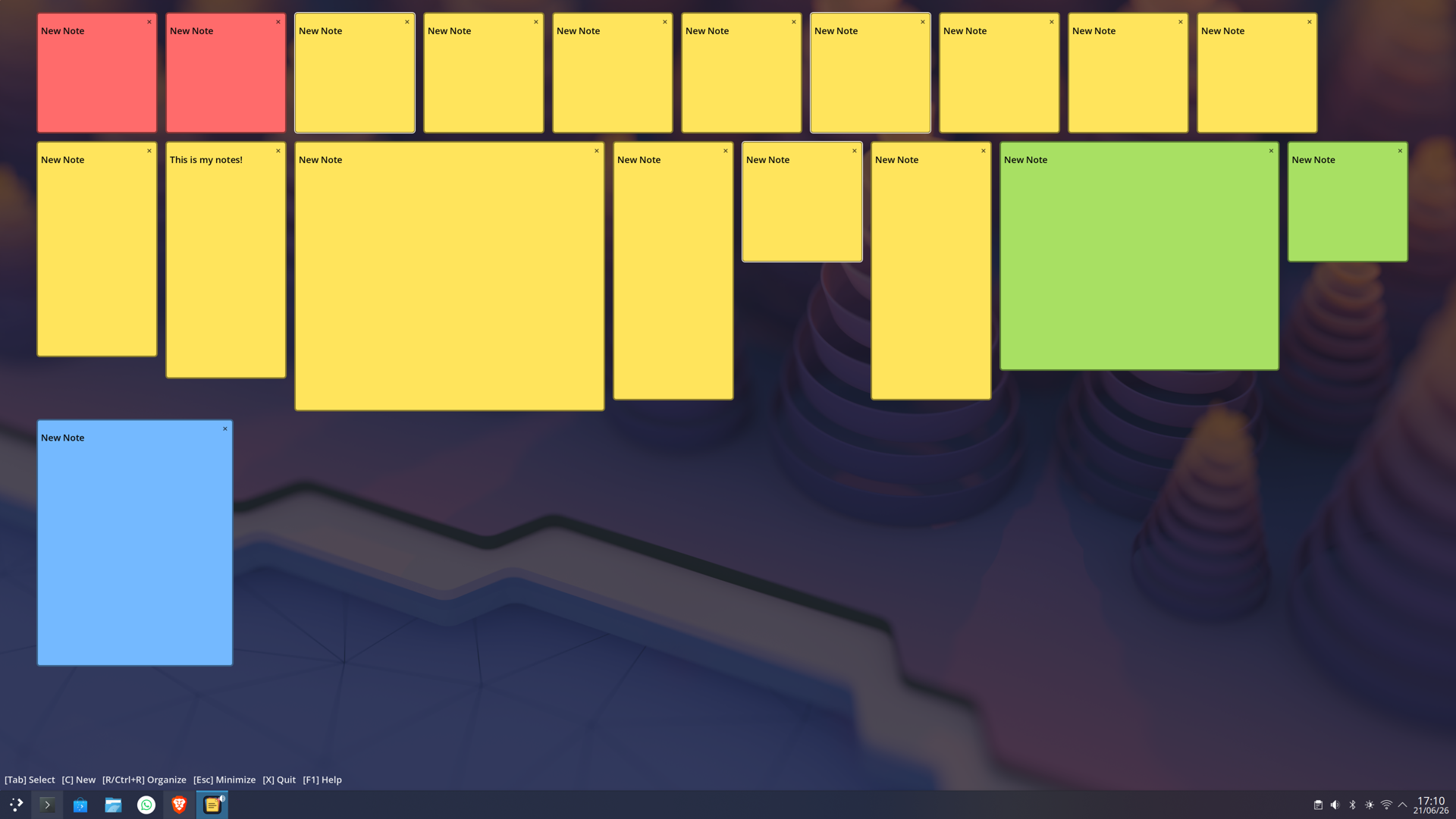
- Organize notes visually by category or priority
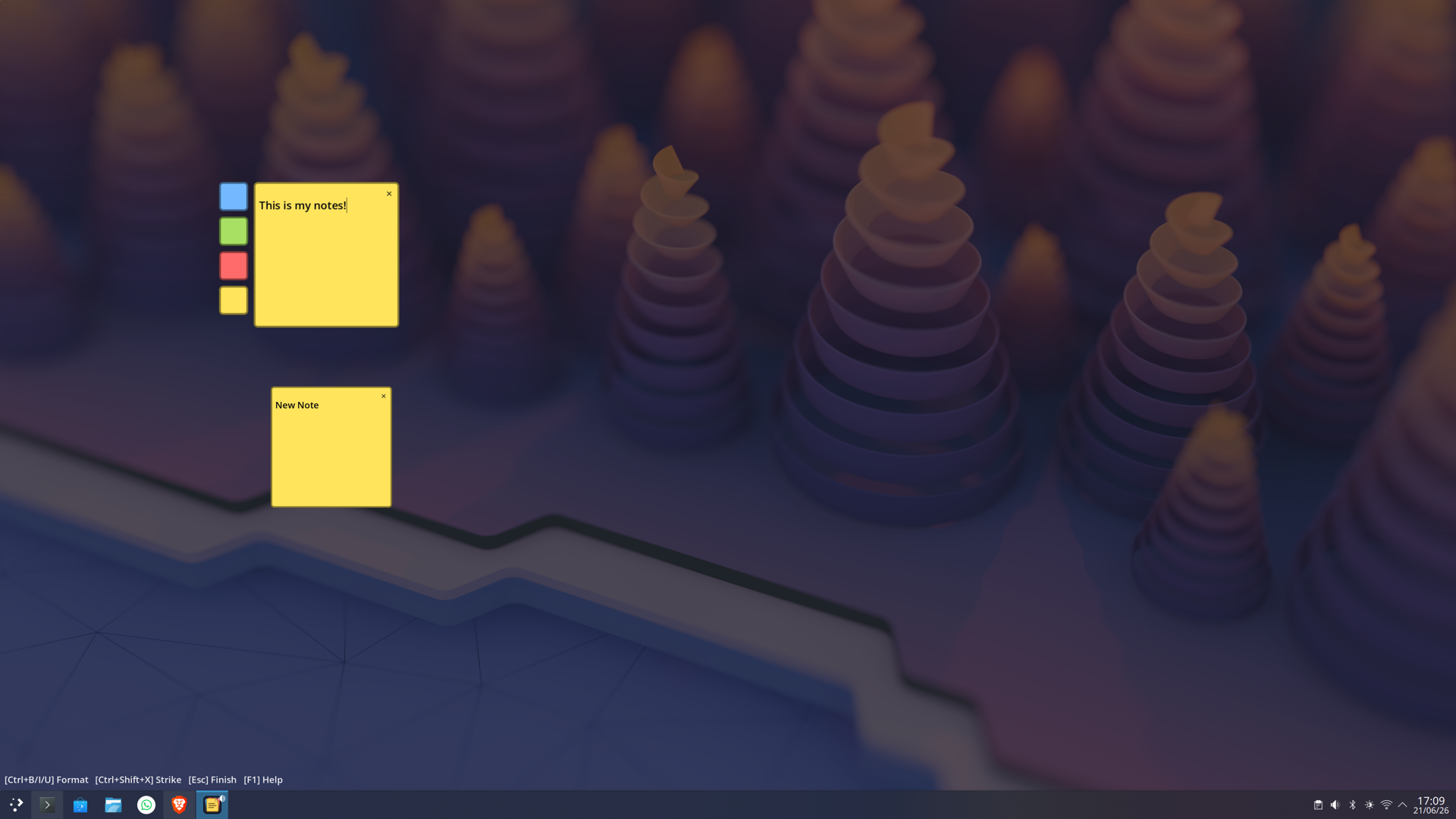
- One-click color switching on selected notes
✍️ Rich Text Formatting
- Bold, Italic, and Underline support
- Strikethrough for completed tasks
- Intuitive keyboard shortcuts (Ctrl+B/I/U)
🖱️ Intuitive Interaction
- Drag notes anywhere on your screen
- Resize by dragging edges
- Double-click to edit, click to select
- Transparent background blends with your workspace
⌨️ Keyboard-Driven Workflow
- Tab through notes without touching the mouse
- Quick creation with C key
- Instant organization with R key
- Full keyboard navigation for power users
💾 Auto-Save
- Your notes are automatically saved
- Persistent across restarts
- No manual save required
🪶 Lightweight & Fast
- Minimal memory footprint
- Instant startup
- No bloat, no distractions
🎯 Perfect For
- Developers tracking bugs or TODOs
- Students organizing study notes
- Writers capturing quick ideas
- Anyone who thinks better with visual reminders
- Multi-taskers who need always-visible information
🎮 How to Use
Basic Workflow
- Create a note: Press C or double-click empty space
- Write your thought: Start typing immediately
- Format text: Select text and use Ctrl+B for bold, Ctrl+I for italic
- Change colors: Click the color picker when note is selected
- Move notes: Drag anywhere on the note
- Resize: Drag the edges
- Organize: Press R to auto-arrange by color
Keyboard Shortcuts
Navigation
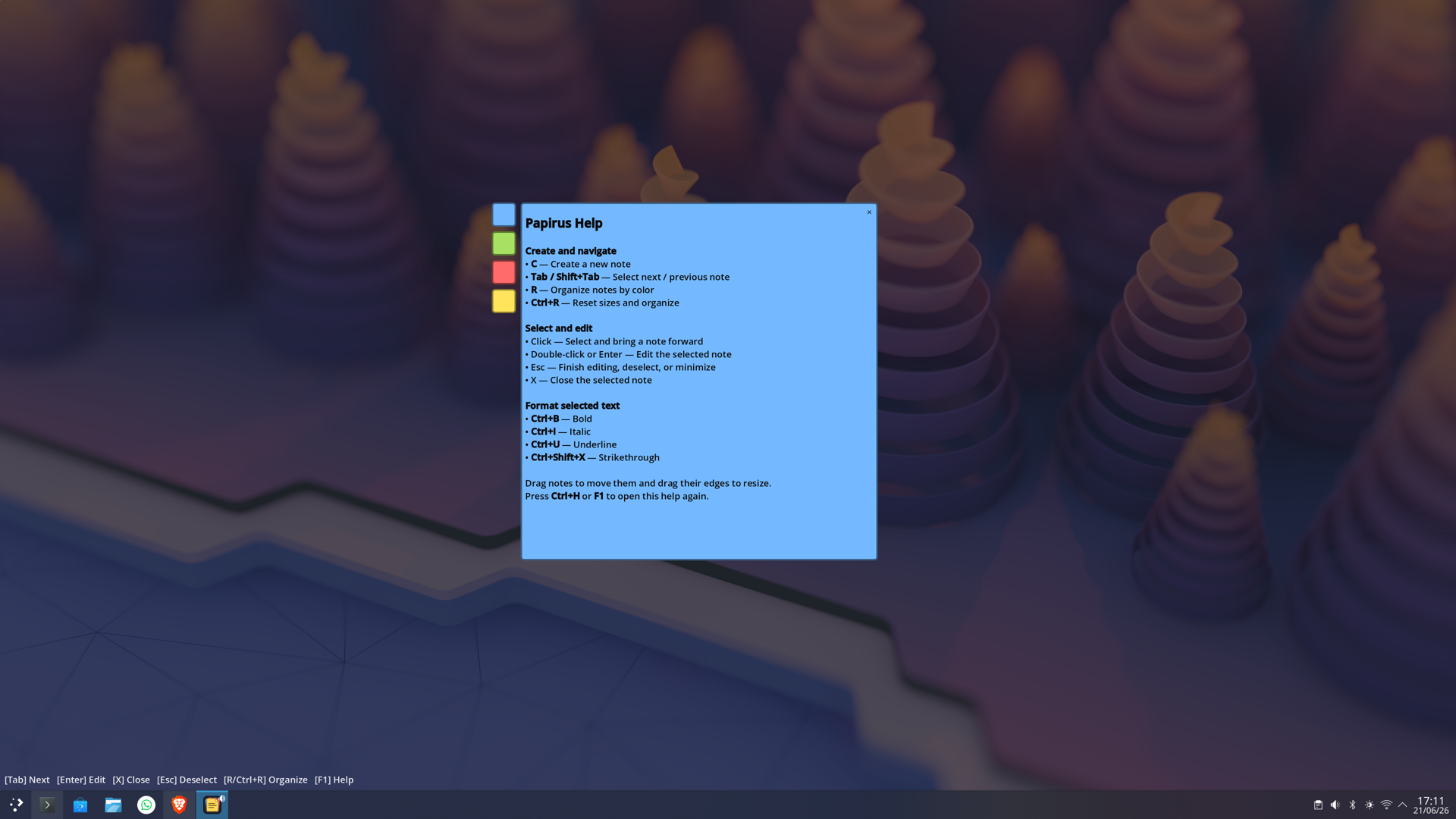
Tab/Shift+Tab— Select next/previous noteEnter— Edit selected noteEsc— Finish editing / Deselect / Minimize windowF1orCtrl+H— Show help
Note Management
C— Create new noteX— Close selected note (or quit if none selected)R— Organize notes by colorCtrl+R— Reset sizes and organize
Text Formatting (while editing)
Ctrl+B— BoldCtrl+I— ItalicCtrl+U— UnderlineCtrl+Shift+X— Strikethrough
💻 System Requirements
Windows
- Windows 10 or later
- x86_64 processor
- 50 MB free disk space
- OpenGL-compatible graphics
macOS
- macOS 10.13 (High Sierra) or later
- Universal binary (Intel & Apple Silicon)
- 50 MB free disk space
Linux
- Modern Linux distribution (Ubuntu 20.04+, Fedora 35+, etc.)
- x86_64 processor
- GLIBC 2.27+
- Dependencies: libc6, libasound2, libgl1, libx11-6, libxcursor1, libxinerama1, libxrandr2
- 50 MB free disk space
📦 Installation
Windows
- Download
Papirus-Windows-x86_64.zip - Extract to any folder
- Run
Papirus.exe - (Optional) Create a shortcut for easy access
macOS
- Download
Papirus-macOS-universal.dmg - Open the DMG file
- Drag Papirus.app to Applications
- On first launch, right-click and select "Open" to bypass Gatekeeper
Linux (Debian/Ubuntu)
- Download
papirus_*_amd64.deb - Install:
sudo dpkg -i papirus_*_amd64.deb - Run from terminal:
papirusor find in applications menu
Linux (Other)
- Extract the portable binary
- Make executable:
chmod +x papirus - Run:
./papirus
🎨 Tips & Tricks
- Color Strategy: Use colors consistently (e.g., Red=urgent, Yellow=ideas, Green=completed, Blue=reference)
- Quick Access: Set up a global hotkey in your OS to focus the Papirus window
- Minimalist Mode: Keep just 2-3 notes visible for maximum focus
- Screen Corners: Position persistent notes in screen corners for easy reference
- Organize Regularly: Press
Rweekly to keep notes tidy
🐛 Known Limitations
- Notes are local to your machine (no cloud sync)
- Maximum note size depends on screen resolution
- URL links in notes are not clickable (display only)
🛠️ Built With
- Godot Engine 4.7 - Open-source game engine
- GDScript - For all application logic
- Love for simple, functional tools ❤️
📝 License
Papirus is free to use for personal and commercial purposes.
🙏 Support Development
If you find Papirus useful:
- ⭐ Rate and review on itch.io
- 💬 Share feedback and feature requests
- ☕ Consider supporting with a tip
- 🐦 Tell others about Papirus
Your support helps keep Papirus free and actively maintained!
Download
Development log
- Papirus - Desktop Sticky Notes is Now Live!45 days ago
Leave a comment
Log in with itch.io to leave a comment.